
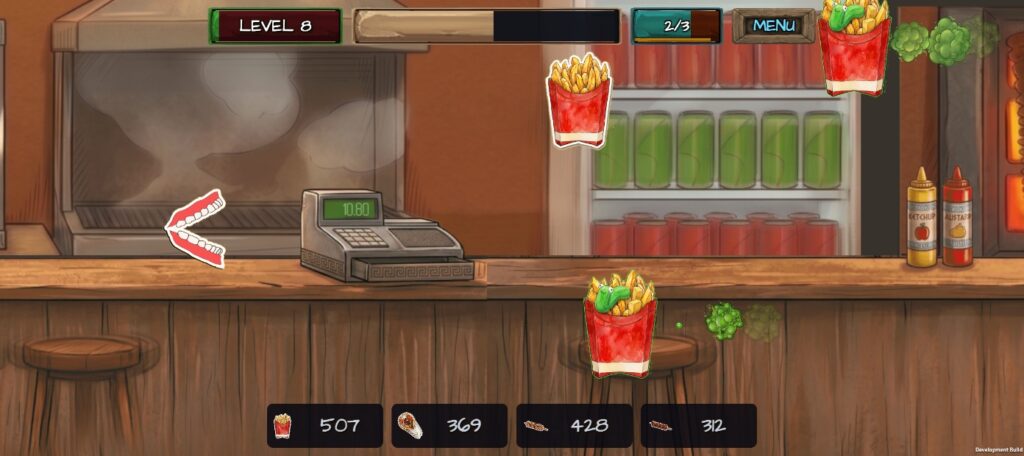
Burpman & the Lost Tzatziki
Chomp through a chaotic Greek taverna, unleash mighty burp waves, and recover the lost tzatziki! Developed and published by Webcraft.

Overview
This Privacy Policy applies to the mobile game Burpman & the Lost Tzatziki (the “Game”), developed and published by Webcraft (“we”, “our”, or “us”).
We respect your privacy and are committed to protecting it. This document explains how information is handled when you download, install, and play our Game.
1. Information We Collect
We do not collect or require you to provide any personally identifiable information (such as your real name, home address, or phone number) to play the Game.
A. Local Device Storage
The Game saves your gameplay progress, coins, badges, high scores, and settings locally on your device (using standard local storage/PlayerPrefs). This data remains on your device and is not transmitted to our private servers.
B. Automatically Collected Data by Third-Party Services
The Game integrates third-party services that may automatically collect certain device-level information to provide advertising and maintain game stability:
- Device model, OS version, and unique device identifiers (Google Advertising ID / AAID).
- IP address and approximate coarse location.
- Performance and diagnostic data (crash logs, ANRs, frame rates).
- Ad interaction data (views, clicks, and impressions).
2. Third-Party Services & Advertising
The Game uses trusted third-party SDKs to provide monetization and core game features:
- Google AdMob: Used to display rewarded video ads. AdMob may use your advertising ID and identifiers to personalize ads (where consent is given) or serve non-personalized ads. Review Google Privacy & Terms.
- Unity Technologies: Built with the Unity engine, which may collect anonymous hardware diagnostic data. Review the Unity Privacy Policy.
3. Children’s Privacy (COPPA)
Our Game is intended for a general audience. We do not knowingly collect personal information from children under 13 (or under 16 in the EEA). If you believe your child has provided personal information to us, please contact us immediately so we can take appropriate measures.
4. Opting Out of Targeted Ads
You can manage or reset your advertising preferences directly from your Android device:
- Open Settings > Google > Ads (or Privacy > Ads).
- Tap Reset advertising ID or Delete advertising ID.
5. Updates & 6. Contact Us
We may update this Privacy Policy periodically. Any changes will be posted on this page with an updated revision date.
Email: info@webcraft.com